01 / The question
Where did that number come from?
Household finances involve more than a collection of balances. A paycheck has a plan, one bucket sometimes borrows from another, and the month needs to close with numbers that agree. A spreadsheet can hold all of that, but its rules become harder to see as the system grows.
Personal Treasury replaces that spreadsheet workflow with an application that preserves its rules. The important question is not just how much money a bucket has. It is how the amount was calculated, what changed, and whether the next transfer is ready to make.
02 / The decisions
Make the rules inspectable.
I designed the workflow around virtual account buckets and traceable entries. Budget versions lock once they are used, so changing next month’s plan does not rewrite the past. Money is stored as exact decimal strings and calculated with decimal arithmetic.
Debt is a history of events, not a balance someone types over. An overpayment can reverse who owes whom, and the summary follows that history. Tax estimates stay separate from actual withholding and never alter take-home pay. These distinctions keep convenient summaries connected to their underlying records.
03 / What I built
A monthly practice, in software.
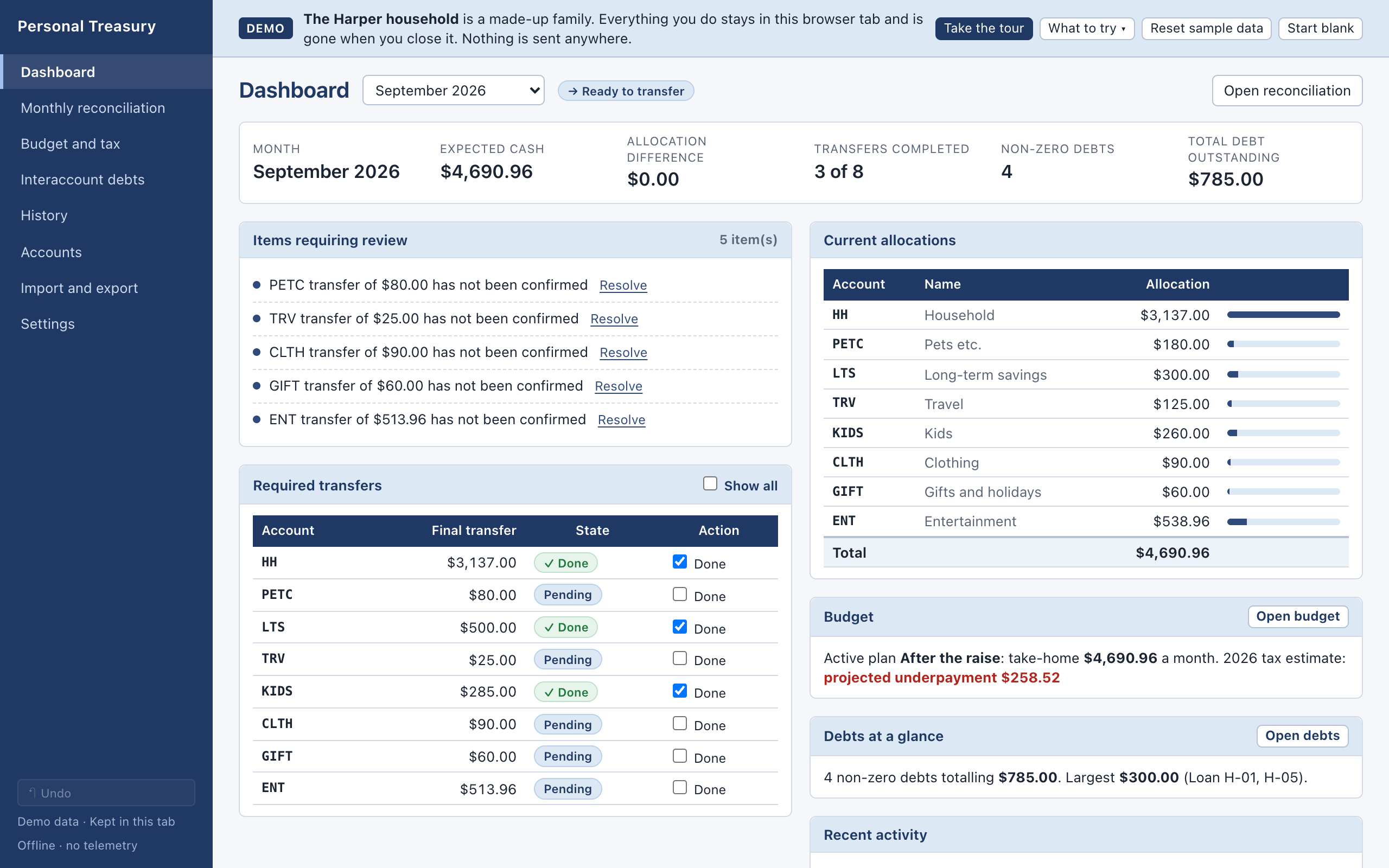
The application connects paycheck planning, transfers, monthly reconciliation, and interaccount loans. Reconciliation names failing checks and moves through Review, Ready to transfer, and Complete. Summaries drill down to their entries; edits are audited and can be undone.
Workbook imports include a preview, control totals, and cell-level warnings. Exports provide a normalized workbook or a complete JSON backup. The Mac app keeps a local SQLite database; the private web build keeps a browser working copy. Optional private sync exchanges encrypted snapshots and asks users to review conflicts.
04 / The proof
A household you can borrow.
The public browser demo uses a fictional family and begins with a one-minute guided tour. It includes a sample workbook, so visitors can follow a paycheck from its allocation through reconciliation and debt history without supplying financial information.
The source includes calculation rules, architecture notes, acceptance tests, and documentation. Public tests use synthetic workbooks. The original household workbooks remain private. The demo offers an inspectable example of the workflow without turning private records into portfolio material.
05 / Where it stands
Try the workflow.
The browser demo is live. It keeps its sample database in the tab’s session storage, does not sync, and discards changes when the tab closes. The desktop and private web builds are distinct ways of running the application; the demo is not a hosted account for a household’s real finances.
The current documented release adds private web access and guarded cross-device sync. The useful test for a visitor is simple: open a summary, follow the entries, and see whether the number makes sense.
 Jason Fricano